

TraffiTech-GH Guide: Portal, Speed Limits & Fines (2026)
Learn how TraffiTech-GH works in Ghana: official website and portal access, urban and highway speed limits, fine payment, and key rules.

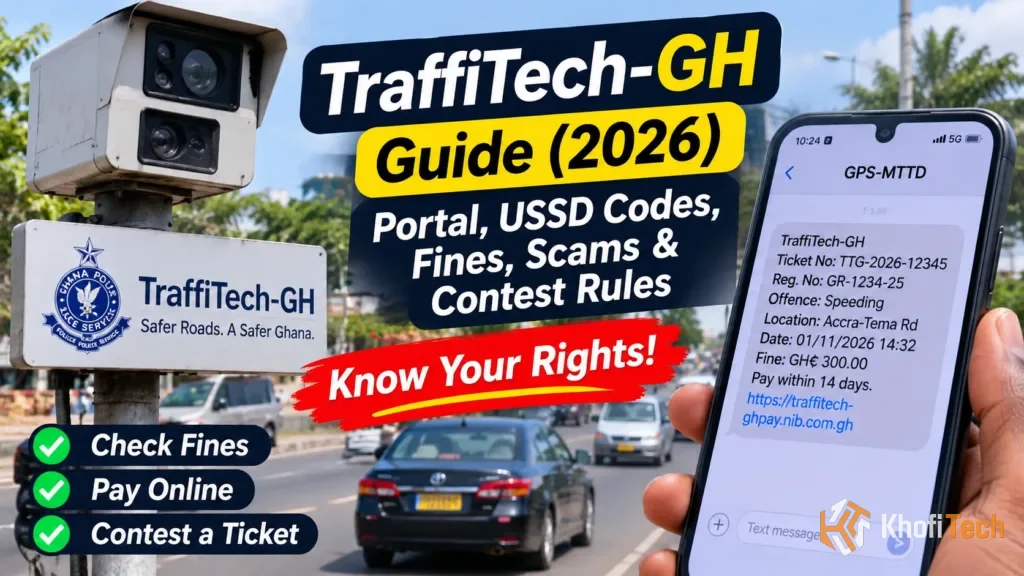
Since TraffiTech-GH launched on November 1, 2026, motorists across Ghana have been searching for accurate details on the TraffiTech-GH portal, USSD codes, official payment channels, scam warnings, speed limits, and how to challenge a ticket.
Below is the complete guide covering how Electronic Notices of Violation (ENVs) work, how to verify real payment codes versus fake messages, and how to pay or contest a fine within the 14-day window.
What Is TraffiTech-GH & How ENV Notices Work
TraffiTech-GH is the Ghana Police Service’s automated traffic enforcement system—rolling out initially with speeding infractions from November 1, 2026—designed to improve road safety through camera and sensor detection alongside MTTD and DVLA enforcement.
- Electronic Notice of Violation (ENV): When a violation is verified, an SMS is sent to the registered vehicle owner showing the Ticket Number, vehicle registration number, offence description, location, date/time, fine amount, and payment deadline.
- Check Sender ID First: Genuine TraffiTech-GH SMS alerts come from sender ID GPS-MTTD. Do not trust messages from random phone numbers or shortened links.
Official Portal, USSD Codes & Scam Fact-Check
Fake payment messages and unofficial links have circulated online, so always verify channels before paying:
- Official Payment Portal: Visit https://traffitech-ghpay.nib.com.gh (typing the address manually rather than tapping suspicious SMS links) to view photo/video evidence and pay via Mobile Money (MTN, Telecel, AirtelTigo), debit/credit card, or through Ghana.gov.
- Official USSD Codes: Dial *220# to check outstanding fines before visiting the DVLA, and dial *710*0# following the prompts to pay official fines.
- Never Pay Personal Numbers or Cash: Never send Mobile Money to a personal phone number or pay cash on the roadside. Report suspicious messages to Police on 191 or 18555 (toll-free), or to the Cyber Security Authority on 292, WhatsApp 0501603111, or
[email protected].
TraffiTech-GH Speed Limits Across Ghana
Speed enforcement follows Ghana’s statutory road traffic limits and posted roadside signs—watch for sudden drops where highways enter built-up towns:
| Road Type / Zone | Standard Speed Limit | Enforcement Notes |
|---|---|---|
| School & Market Zones | 30 km/h | Strict pedestrian safety zones. |
| Urban & City Streets | 50 km/h | Standard city & township limit. |
| Single-Carriageway Highways | 80 km/h | Drops to 50 km/h in built-up areas. |
| Accra–Tema Motorway | 100 km/h | Follow posted signage & ramps. |
How to Pay Fines, 1% Daily Penalty & DVLA Blocks
- Check Evidence & Pay Within 14 Days: Enter your Ticket Number on https://traffitech-ghpay.nib.com.gh to view the photo/video evidence, or pay via *710*0# or Ghana.gov within 14 days of issuance. You will receive an SMS confirmation receipt after payment.
- 1% Daily Late Penalty: Failing to pay within 14 days adds a 1% penalty of the original fine for every day of default.
- DVLA Service Blocks: The DVLA will not renew your driver’s licence or process vehicle registration, transfer, re-registration, lay-off, or roadworthiness inspection until outstanding TraffiTech-GH fines are cleared—check first by dialling *220#.
How to Contest a TraffiTech-GH Fine (Before Paying)
- Contest Within 14 Days & Do Not Pay First: If you believe a citation is wrong, start your contest online within 14 days of issuance—before paying. Once a fine is paid, the violation is treated as settled and can no longer be contested.
- How the Contest Process Works: Review your evidence on https://traffitech-ghpay.nib.com.gh (or call the TraffiTech-GH Call Centre on 059 692 2402 if you do not have internet access), then submit the contest online by choosing your preferred MTTD regional police station and date (contests cannot be initiated directly at MTTD or Judicial Service offices).
- Attend Your Hearing: After an officer contacts you with confirmation details, attend your scheduled hearing with your ENV reference number, valid ID, and any supporting documents (such as a police report or transfer records).
Frequently Asked Questions
Quick answers to common questions
TraffiTech-GH is Ghana's automated traffic enforcement system. It uses cameras and sensors to detect violations and sends Electronic Notices of Violation (ENVs) through SMS from sender ID GPS-MTTD
Use the official portal, traffitech-ghpay.nib.com.gh, Ghana.gov, or dial *710*0# to pay. Dial *220# to check fines. Genuine alerts come from GPS-MTTD. Never send money to personal MoMo numbers.
The supplied guide states that a 1% daily penalty applies after 14 days. Outstanding fines may also block licence renewals and vehicle registration services.
Review your evidence using your Ticket Number on the official portal. Submit your contest online within 14 days before paying, then attend your scheduled hearing with your ENV reference number and valid ID.
Ask Khofi Tech
Related stories
How to Schedule Messages on WhatsApp (iPhone and Android 2026)
WhatsApp now supports native scheduled messages on iPhone and Android. Learn how to press and hold Send to schedule texts, photos, and videos—plus fixes if Send Later isn't showing yet.
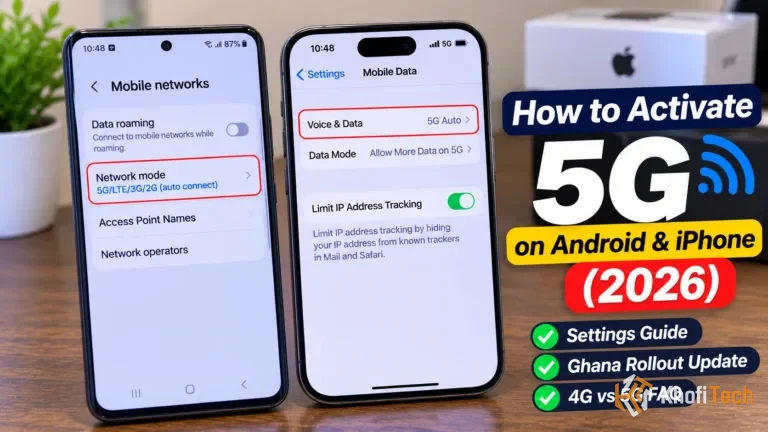
How to Activate 5G on Android and iPhone (2026)
Learn where 5G is in Settings on Android and iPhone, whether you can convert a 4G phone to 5G, Ghana's 5G rollout timeline, and battery impact tips.
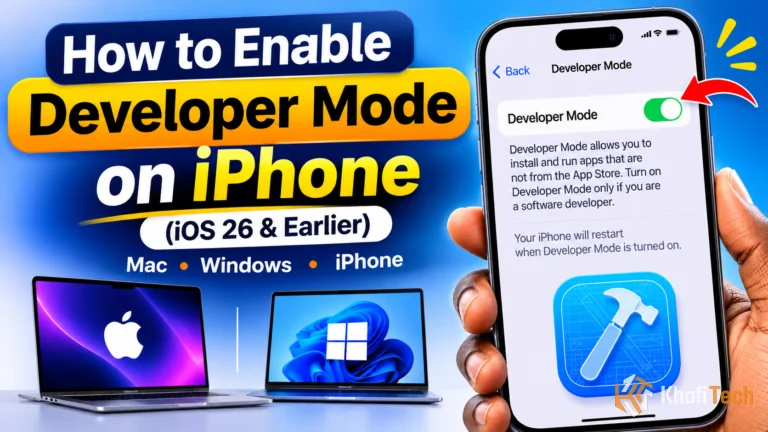
How to Enable Developer Mode on iPhone
Learn how to turn on Developer Mode on iPhone in iOS 26, iOS 18, and earlier—plus how to fix Developer Mode not showing using Mac, Windows, or without Xcode.
Thread (0)