

Why Does MiFi Consume More Data Than Phone Data? (Real Fixes)
Bought a 4G/5G MiFi and noticed your data bundle vanishes twice as fast as on your phone? Here is the networking reality, hidden data leaks, and 5 fast fixes.

You purchase a 10GB mobile data bundle on your smartphone, and it lasts two weeks of daily browsing, social media, and messaging. You load that exact same 10GB bundle into a portable 4G or 5G MiFi router, connect your laptop and phone, and the bundle vanishes in under 48 hours.
This common issue leads many users to believe their telecom provider is throttling them, or that the MiFi device is defective. In reality, the physical hardware is not siphoning your megabytes. Instead, it is an architectural blind spot: operating systems treat Wi-Fi connections completely differently from direct cellular SIM connections.
Here is an unvarnished technical look at why MiFi routers consume data substantially faster than direct phone data, and the exact settings needed to halt data leakage across all your connected devices.
The Technical Culprit: How Devices Misread a MiFi
When an active SIM card sits inside your smartphone, the Android or iOS kernel communicates directly with the modem baseband via dedicated telephony APIs. The operating system actively recognizes: “We are on a cellular billing plan with limited bandwidth.”
Because of this, modern mobile operating systems enforce silent throttling rules by default:
- System software updates are paused until a Wi-Fi connection is detected.
- Full-resolution photo and video backups to iCloud and Google Photos are delayed.
- Streaming applications default to compressed audio bitrates and 480p or 720p video feeds.
- Background app refresh and telemetry polling intervals are throttled.
The moment you insert that SIM into a MiFi, this protection breaks. The MiFi converts the cellular LTE/5G signal into a standard 802.11 Wi-Fi broadcast. When your laptop, iPhone, or Android connects, it sees a generic Wi-Fi SSID. Assuming it is connected to an unlimited fiber or cable network, the operating system releases all background bandwidth restrictions at once.
| Activity / Process | Direct Phone SIM Behavior | Connected via MiFi (Default) |
|---|---|---|
| Windows / macOS Updates | Blocked unless manually forced | Downloads multi-GB patches automatically |
| Cloud Backup (iCloud / Drive) | Queued; waits for Wi-Fi | Uploads 4K video clips & photos in real-time |
| YouTube / Netflix Streaming | Defaults to 480p–720p (~500MB/hr) | Negotiates 1080p–4K (~2GB–4GB/hr) |
| App Store / Play Store | Asks confirmation for downloads >200MB | Updates all background apps simultaneously |
| Web Browsing (Chrome/Edge) | Lightweight mobile HTML/WebP versions | Heavy desktop assets, high-res banners, auto-play video |
Not sure how much bandwidth your streaming and daily workflow actually require? Calculate your monthly consumption with our Internet Data Calculator, or compare tariff rates using the MiFi vs. Mobile Data Breakdown.
The Multi-Device Multiplier Effect
When your mobile data is active on your phone, only one device is spending that bandwidth. However, a portable MiFi acts as an open hub for multiple clients simultaneously:
- Your Laptop: Windows or macOS running continuous background processes, telemetry reporting, and document syncing.
- Your Smartphone: Triggering WhatsApp cloud backups, Instagram cache refreshes, and app updates because it believes it has reached a home Wi-Fi network.
- A Secondary Tablet or Colleague’s Device: Syncing mailboxes, downloading offline playlists, and streaming media.
Three idle devices connected to a MiFi can burn through 1.5GB to 3GB of data in a single afternoon without anyone actively opening a browser.
5 Fast Fixes to Stop MiFi Data Drain
You do not need to abandon your MiFi to save your data. Applying these five targeted configuration adjustments will instruct your devices to treat the MiFi like a limited cellular connection:
Open Settings > Network & internet > Wi-Fi. Click on your MiFi network name and toggle Metered connection to ON. This immediately halts Windows updates and restricts OneDrive auto-sync.
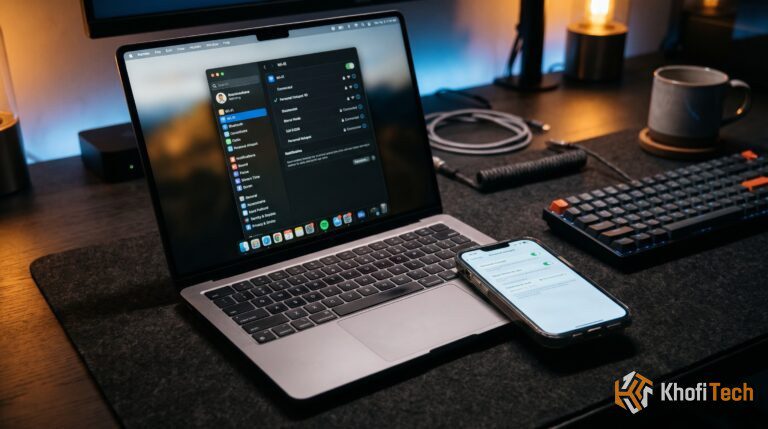
Open System Settings > Wi-Fi. Click Details next to your connected MiFi network and toggle Low Data Mode to ON. This blocks background iCloud syncing and pauses automatic macOS software updates.
Go to Settings > Network & internet > Internet. Tap the gear icon next to your MiFi SSID. Tap Network usage and select Treat as metered instead of “Detect automatically.”
Go to Settings > Wi-Fi and tap the small “i” (info) icon next to your MiFi network. Toggle Low Data Mode to ON to prevent automatic photo library uploads and background app refreshes.
5. Lock Down the MiFi Admin Portal
Most portable MiFi routers (Huawei, ZTE, TP-Link, Alcatel) ship with a default Wi-Fi password (like 12345678) and a default admin login (admin/admin). Neighbors or colleagues often connect passively without your knowledge.
- Open your browser and enter your MiFi default gateway IP (usually
192.168.0.1,192.168.1.1, or192.168.8.1). - Log in to the dashboard and navigate to Connected Devices. Disconnect any unrecognized hardware.
- Change the Wi-Fi security protocol to WPA2-PSK (AES) or WPA3 with a strong passphrase.
- Locate the Data Management / Data Plan tab in the admin panel and set a hard monthly data ceiling with an alert at 80% capacity to prevent unexpected exhaustion.
Still struggling with data leakage on your phone? Check out our step-by-step walkthrough on How to Stop Apps From Eating Mobile Data in the Background to audit rogue background processes.
Is a MiFi Faster Than Direct Mobile Data?
A common misconception is that a MiFi is inherently faster than a phone. In reality, modern mid-range and flagship smartphones feature significantly more advanced modem hardware than budget MiFi units.
- Budget 4G MiFi Units: Typically feature LTE Category 4 (Cat 4) modems, capable of a theoretical maximum of 150 Mbps download with single-band 2.4GHz Wi-Fi transmission.
- Modern Smartphones: Often feature LTE Cat 16 to Cat 20 or 5G Sub-6 modems capable of 4×4 MIMO, 3-channel to 5-channel carrier aggregation, and Wi-Fi 6/7 radios.
If you are in a location with weak carrier reception, a smartphone will often aggregate bands and outperform a budget $30 MiFi. However, a dedicated MiFi has two distinct physical advantages: you can place it near a window where signal reception is strongest, and it keeps your smartphone battery from overheating due to sustained hotspot tethering.
The Verdict: When to Use MiFi vs. Phone Hotspot
- Use Your Phone’s Direct SIM / Hotspot if: You are doing lightweight solo work on the go (sending emails, messaging, light research). Your phone automatically governs bandwidth and limits background leakage.
- Use a MiFi Router if: You work at a fixed desk for multiple hours, need to connect 2 or more devices, and want to protect your phone’s battery health from excessive thermal strain. Just remember to always enable “Metered Connection” on every client you connect.
Frequently Asked Questions
Quick answers to common questions
YouTube's video player checks your connection type. On cellular mobile data, it defaults to 480p to conserve bandwidth. On Wi-Fi (which includes your MiFi), it assumes an unmetered connection and automatically defaults to 1080p, 1440p, or 4K with aggressive pre-buffering, which burns up to 5 times more data per hour.
No. If all connected devices are disconnected or powered off, the MiFi only uses tiny keep-alive signaling packets to maintain registration with the cellular cell tower. This uses negligible data (less than 1MB per week). Any heavy passive drain is caused by connected devices running background tasks.
Yes. In WhatsApp's default settings, media auto-download (photos, audio, and videos) is set to download automatically "When connected to Wi-Fi." Because WhatsApp sees your MiFi as Wi-Fi, it downloads every video and image sent to your groups immediately. You must adjust this under Settings > Storage and Data > Media auto-download.
No. Metered Connection settings do not cap or throttle your actual bandwidth speed. It merely instructs the operating system to stop unprompted background tasks, pause OS updates, and disable continuous cloud backups until you manually initiate them.

Thread (0)