

MiFi vs Mobile Data: Which Is Better in 2026?
Is a pocket WiFi better than your phone hotspot? Compare MiFi vs mobile data in 2026 on speed, phone battery health, data bundle costs, and reliability.

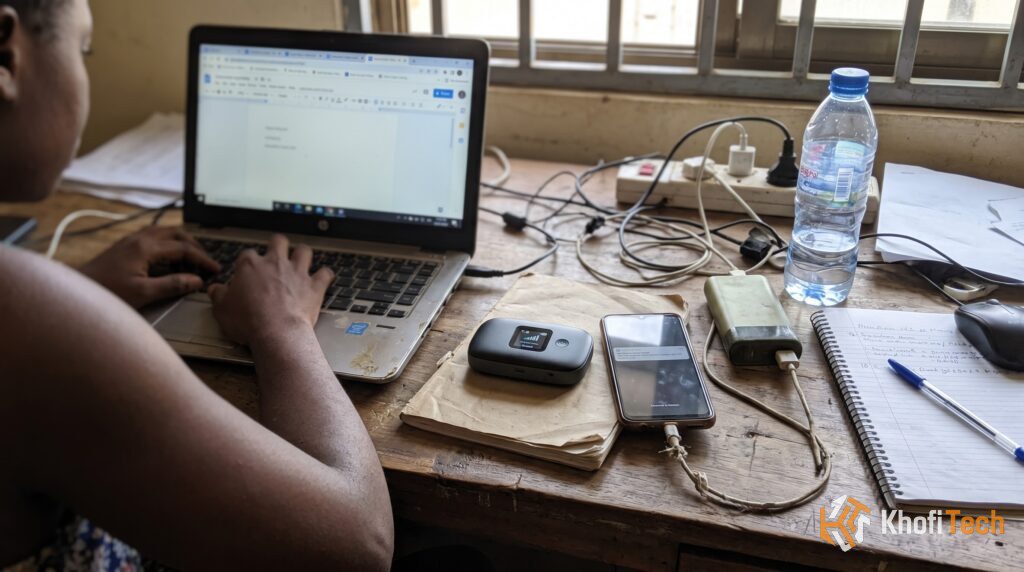
When you need internet access on a laptop, tablet, or secondary phone, you have two choices: toggle your smartphone’s Mobile Data Hotspot or invest in a standalone MiFi device.
Both options rely on the exact same cellular data networks (4G and 5G SIM cards) to deliver internet. However, running a daily mobile hotspot from your phone places severe thermal stress on your device, degrades its battery health, and leaves you vulnerable to sudden disconnects during incoming calls.
Here is how MiFi vs mobile data compare in 2026 to help you decide which setup makes sense for your daily workflow.
Quick Comparison Table
| Feature | Dedicated MiFi Device | Phone Mobile Hotspot |
|---|---|---|
| Battery Impact |
Has its own battery; zero heat on your phone. |
Causes heavy overheating and rapid battery health loss. |
| Incoming Calls |
Internet never drops while you talk on the phone. |
Data connection often freezes during regular phone calls. |
| Hardware Cost |
Requires buying an extra pocket device upfront. |
Zero hardware cost; already built into your phone. |
| Connected Devices |
Shares signal with 5–10 devices without high latency. |
Lags and throttles quickly with more than 2 devices. |
1. Battery Health & Device Lifespan
The most significant difference between using a MiFi and mobile data is thermal wear on your smartphone.
Tethering your laptop to your smartphone forces your phone’s cellular modem and Wi-Fi chip to transmit heavy bandwidth simultaneously. This generates high heat within 15 to 20 minutes.
Heat is the primary cause of premature lithium-ion battery degradation. If you rely on your phone’s hotspot for 4 to 6 hours daily, your maximum battery capacity can easily drop by 15% to 20% within a single year. A MiFi carries that battery wear entirely on its own replaceable cell, protecting your phone’s long-term resale value.
2. Connection Stability During Calls
On many mobile networks, receiving a cellular call disrupts active hotspot sessions:
On Mobile Data Hotspot: When an incoming call rings through, your phone’s antenna prioritizes the voice channel. On many networks without full VoLTE support, your laptop’s connection drops down to 2G/3G or disconnects completely. If you are uploading a project or participating in an online exam, the disruption can cost you your work.
On a MiFi Device: The MiFi uses its own separate SIM card. You can make and answer voice calls on your phone for hours while your laptop remains connected to 4G/5G internet without interruption.
3. Upfront Expense vs. Daily Convenience
Where mobile data clearly wins is zero upfront financial commitment:
Mobile Data Hotspot: You do not need to buy any extra gadgets. If you only need to connect your laptop for 20 minutes to send a critical document or check an email on the move, your phone’s personal hotspot is fast, free, and always with you.
MiFi Device: A quality 4G or 5G portable router requires an initial hardware purchase. You also have to manage two separate SIM cards and remember to pack an extra charging cable in your bag.
4. Multi-Device Sharing & Speeds
Smartphones are designed primarily as signal receivers, not broadcasting hubs:
Connecting three or more devices to a phone hotspot rapidly causes thermal throttling, which spikes latency (ping) and drains the battery in under two hours.
A dedicated MiFi features internal antennas engineered specifically to broadcast bandwidth evenly across multiple laptops, tablets, and phones without overheating.
The Verdict: Which Should You Choose?
Stick to your Phone’s Mobile Data if:
1. You only need a laptop connection occasionally for short periods (under an hour).
2. You want to avoid spending money on additional hardware.
3. You prefer managing a single SIM card and one unified data balance.
Buy a Dedicated MiFi if:
1. You work remotely, study online, or spend several hours tethered to a computer each day.
2. You want to keep your smartphone cool and preserve its maximum battery health.
3. You take frequent phone calls while working online and cannot risk your internet cutting out.
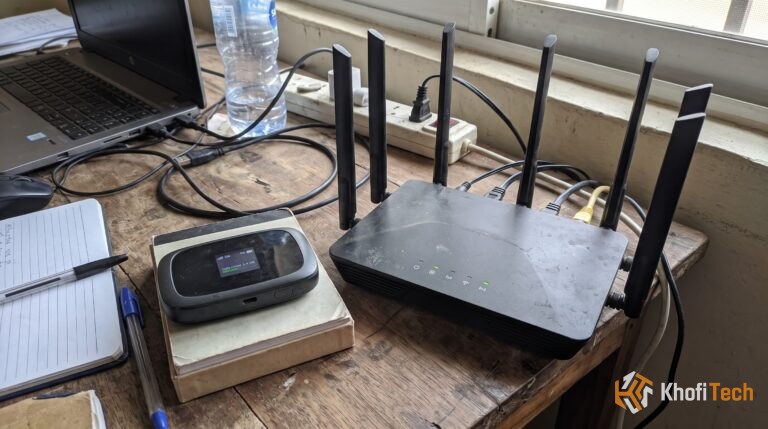
Debating whether a pocket MiFi or a stationary home router is better for your room? Read our guide on MiFi vs Wi-Fi: Differences, Speeds, and Which to Buy or check How to Stop Apps From Eating Mobile Data in Background to keep your bundles lasting longer


Thread (0)