

Is Overnight Charging Actually Bad for Your Battery? The Truth
Does leaving your phone plugged in overnight destroy the battery? We break down overcharging myths, high-voltage stress, trickle charging, and smart protections.

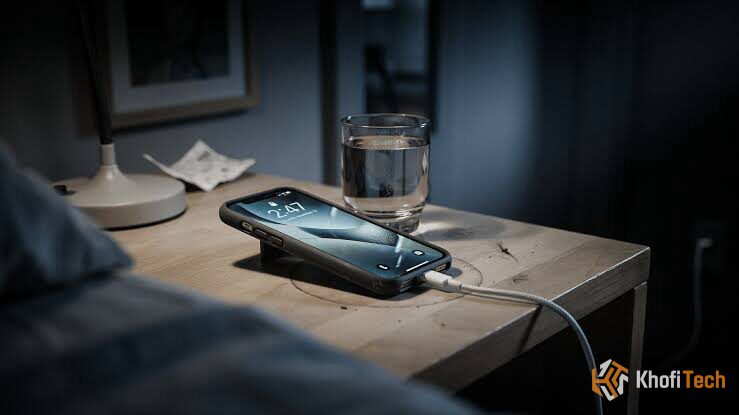
Almost everyone plugs their phone into a bedside wall charger before going to sleep. Yet, a persistent worry lingers: Will leaving the phone plugged in for seven or eight hours overcharge the cell, degrade the battery, or cause a fire hazard?
The short answer is no, your phone will not overcharge or catch fire under normal conditions.
However, leaving a lithium-ion battery pinned at maximum saturation for hours on end does introduce a specific electrochemical issue known as high-voltage stress.
Understanding how hardware protection circuits manage power while you sleep helps you maximize battery lifespan without disrupting your nighttime routine.
Overnight Charging: Fact vs. Fiction
| Common Belief | The Physical Reality | Longevity Impact |
|---|---|---|
| “It keeps forcing power into a full battery” | BMS hardware switch cuts off intake at 100% | Zero risk of overcharge |
| “Trickle charging destroys the cell” | Phone draws small power pulses to run background standby | Minor long-term wear |
| “Resting at 100% strains battery chemistry” | High cell voltage (~4.4V) thickens internal resistance layers | ~3% capacity loss over 2 years |
| “Charging on the bed is safe” | Bedding and pillows insulate heat, raising temps above 45°C | Severe degradation & fire risk |
Hardware Recommendation: Using a multi-device bedside brick? Read our testing in the Anker Prime 67W Charger Review to see how smart GaN controllers handle dynamic overnight thermal safety.
Why Modern Phones Cannot “Overcharge”
The belief that leaving a phone plugged in causes it to overload dates back decades to older Nickel-Cadmium (NiCad) and Nickel-Metal Hydride (NiMH) batteries. Those older chemistries could not self-regulate, meaning continuous charging caused overheating and capacity loss.
Modern smartphones run on lithium-ion or lithium-polymer packs managed by an internal microchip called the Battery Management System (BMS).
The BMS acts as a dedicated electronic switch:
- When your phone reaches 100%, the BMS halts external current intake completely.
- The phone transitions to powering its idle background tasks (Wi-Fi, cellular standby, alarms) directly from the wall adapter, bypassing the battery entirely.
- If the battery naturally self-discharges to 99%, the charger sends an intermittent, low-current pulse (trickle charge) to top it back off.
It is physically impossible to overfill a modern phone battery.
The Real Risk: High-Voltage Stress
While your phone won’t explode from being plugged in all night, overnight charging can still accelerate long-term chemical aging for another reason: prolonged high-voltage state.
Overnight Charging Behavior Compared
The battery reaches 100% around midnight and sits at maximum voltage (~4.4V) until morning, accelerating mechanical electrolyte breakdown.
Software holds the battery safely at 80% during the night, only delivering the final 20% right before your alarm rings to minimize strain.
Think of a lithium-ion cell like a mechanical spring:
- Between 30% and 80% charge, the internal cell voltage operates in a relaxed window (~3.8V to 4.0V).
- At 100% charge, the internal cell voltage rises to its operational maximum (~4.35V to 4.45V).
Leaving the cell pinned at maximum voltage for 6 to 8 hours every single night speeds up parasitic side reactions. The protective film covering the negative anode (the Solid Electrolyte Interphase layer) thickens abnormally, gradually trapping usable lithium ions and permanently raising internal electrical resistance.
Electrochemistry Deep Dive: Want to see the exact curve where high voltage starts causing lithium plating? Read our laboratory breakdown on Does Fast Charging Actually Kill Your Battery? The Real Science.
The Dangerous Bedside Habit: Trapped Heat
While the electrical current itself is handled safely by the phone, charging environment thermals can present real risks.
Many users charge phones directly on their mattresses, under pillows, or wrapped in blankets while sleeping. Bedding is an effective thermal insulator. Because every battery produces ambient heat during energy conversion, burying a charging phone under a pillow traps that heat against the device chassis.
- When battery temperatures rise past 40°C (104°F), chemical degradation happens up to three times faster.
- In severe cases with non-certified cables or knockoff chargers lacking thermal shutoffs, heat buildup in bed fabrics creates an outright fire hazard.
The Rule: Always charge your phone on a flat, solid surface—like a nightstand or desk—where air can freely circulate around the chassis.
Hardware Diagnostics: Is your phone waking up warm to the touch before you even start using it? Check out our step-by-step walkthrough on Why Is My Phone Charging So Slowly? How to Fix the Bottleneck to diagnose port resistance and thermal throttling.
How Smart Software Protects Your Phone Overnight
Both iOS and Android now include built-in smart charging features designed specifically to resolve high-voltage stress during sleep:
Apple (Optimized Battery Charging)
Introduced in iOS 13, this feature monitors your daily charging habits. If you regularly plug in around 11 PM and wake up at 7 AM, your iPhone quickly charges to 80%, pauses there all night, and finishes the final 20% right before you wake up.
iPhone 15 & Newer: You can also enable a strict 80% Hard Limit, preventing the phone from ever entering the high-voltage zone.
Samsung One UI (Battery Protection)
Samsung includes a dedicated Battery Protection menu under Settings > Battery:
Basic: Stops charging at 100% and will not resume until the level drops to 95%.
Adaptive: Pauses charging at 80% while you are asleep and tops up to 100% just before your wake-up time (mirroring iOS).
Maximum: Caps battery charging permanently at 80% or 85%.
Google Pixel (Adaptive Charging)
Pixels use Android’s Adaptive Charging algorithm. When plugged in after 9 PM with an active morning alarm set between 4 AM and 10 AM, the phone paces its charge rate to hit 100% right when your alarm rings.
5. Summary Checklist: Safe Nighttime Charging
To maintain strong battery capacity across three to four years of device ownership:
- Keep Smart Charging Toggled On: Never disable Optimized or Adaptive Charging in your phone’s battery settings.
- Charge on Hard Surfaces: Place your phone on a firm nightstand or wooden desk rather than your mattress or under blankets.
- Ditch Heavy Cases in Hot Rooms: If your bedroom gets warm in the summer, pop off thick, non-breathable rubber cases before charging.
- Use Certified Hardware: Use genuine OEM chargers or certified third-party USB-PD bricks (like Anker or Ugreen) featuring built-in over-current and thermal protection chips.
Frequently Asked Questions
Quick answers to common questions
No. Modern software mitigates most of the strain. Unmanaged overnight charging typically results in only a 2% to 4% faster drop in maximum capacity over two full years compared to someone who manually unplugs at 80% every day.
Yes, overnight is the ideal time to use a slow 5W charger. Because you are asleep for 7–8 hours, high charging speed is unnecessary. A 5W charger produces almost zero heat,
No. Letting lithium-ion batteries hit 0% puts significant mechanical strain on the internal electrode lattice. Plug your phone in whenever it drops around 20% to 30%.


Thread (0)