

Does Fast Charging Actually Kill Your Battery? The Real Science
Does fast charging (45W–100W) actually ruin your smartphone battery? We explain the electrochemistry, charging curves, heat factors, and real-world cycle life.

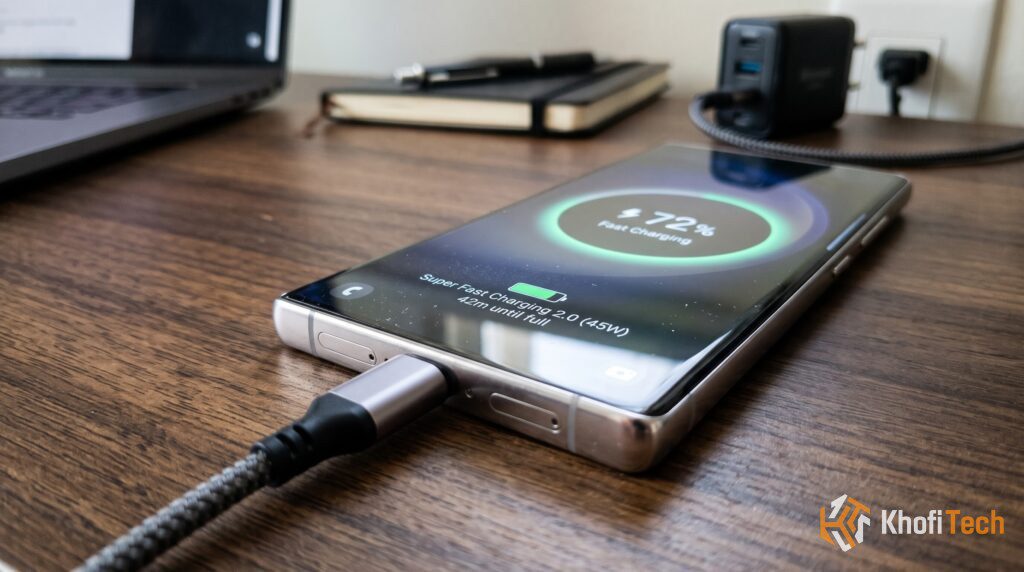
The pervasive myth that fast charging ruins battery health prevents millions of smartphone owners from taking full advantage of the high-speed chargers they already own. Whether you plug into a 45W Samsung brick, a 67W GaN wall charger, or a blazing 100W+ proprietary system, fears of internal battery degradation, overheating, and shortened device lifespans remain common in tech circles.
The fear seems logical on the surface: forcing massive amounts of electrical power into a compact handheld device should theoretically wear out its internal components faster.
However, modern battery management systems (BMS) operate on precise electrochemical safeguards that make modern fast charging far safer than most users realize.
Here is what actually happens inside a lithium-ion battery when fast charging—and the real physical forces responsible for capacity loss over time.
Fast Charging vs. Traditional Charging: The Real Degradation Numbers
| Charging Standard | Average 0-80% Time | Operating Temp Range | Health After 800 Cycles |
|---|---|---|---|
| Old Standard (5W / 1A) | ~150 Minutes | 26°C – 30°C (79°F – 86°F) | ~83% – 85% |
| Standard Fast (18W–25W) | ~50 Minutes | 32°C – 36°C (90°F – 97°F) | ~80% – 82% |
| High-Speed Fast (45W–67W) | ~30 Minutes | 35°C – 39°C (95°F – 102°F) | ~79% – 81% |
| Ultra Fast (100W–120W+) | ~18 Minutes | 37°C – 41°C (98°F – 106°F) | ~78% – 80% |
How Lithium-Ion Batteries Actually Work
To understand fast charging, you have to picture your phone’s battery as a reversible electrochemical sponge.
Inside every lithium-ion cell, there are two primary terminals:
- The Positive Cathode: Typically composed of lithium metal oxides (like lithium cobalt oxide).
- The Negative Anode: Made of porous layers of graphite.
- The Liquid Electrolyte: A chemical medium separating both terminals that allows lithium ions to travel back and forth.
When your phone is discharging during everyday use, lithium ions flow from the negative anode to the positive cathode, creating an electrical current that powers your processor and screen. When you connect a charger, that process is reversed: electrical energy forces lithium ions back out of the cathode, through the electrolyte, and nests them inside the graphite anode.
Capacity loss occurs when the physical structure of the graphite anode breaks down, or when the liquid electrolyte dries up due to parasitic chemical reactions.
Hardware Buying Tip: Upgrading to a multi-port GaN charging brick? Read our lab testing on the Anker Prime 67W Charger Review to see how modern power controllers prevent thermal throttling across connected devices.
The Two-Stage Charging Curve Explained
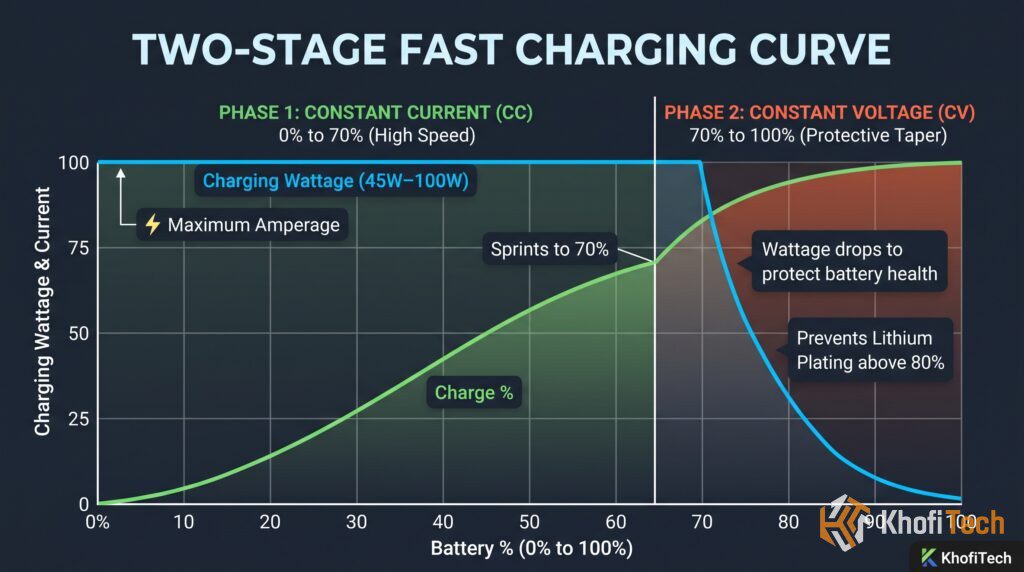
Your phone does not pull maximum wattage for the entire charge. To prevent dangerous internal wear, charging happens in two distinct phases:
The Two-Stage Fast Charging Curve
Maximum amperage and wattage. The battery’s graphite anode has ample space, allowing lithium ions to absorb rapidly without thermal damage.
Wattage tapers down progressively. Restricting current prevents dangerous lithium plating and chemical degradation as the battery saturates.
- Phase 1 (0% to ~70%): The empty graphite anode absorbs lithium ions quickly. The charger sends peak power here, which is how phones hit 50% in 15–20 minutes.
- Phase 2 (70% to 100%): As the battery fills, high current causes lithium plating (solid lithium deposits that permanently reduce capacity). The phone commands the charger to dial down power to a low trickle.
What Actually Kills Batteries: Heat, Not Wattage
Electrical current does not destroy lithium-ion cells; sustained heat above 40°C (104°F) does.
High operating heat accelerates chemical reactions that dry out the liquid electrolyte and thicken the internal resistance layer.
A phone fast-charging at 67W on a cool desk will experience less degradation than a phone slow-charging at 10W inside a thick case under direct sunlight in a hot car.
How Modern Phones Protect Themselves
- Dual-Cell Batteries: High-speed phones (67W–120W) split a 5,000 mAh pack into two 2,500 mAh cells. Each cell receives half the current, keeping temperatures low.
- USB-PD PPS: Modern chargers use Programmable Power Supply (PPS) to step down voltage inside the wall adapter rather than inside the phone, reducing device heat.
- Thermal Throttling: Built-in temperature sensors automatically cut charging speeds if the battery reaches 39°C.
Practical Rules for Maximum Battery Life
- Take Off Heavy Cases While Charging: Thick cases trap heat against the phone frame.
- Never Game While Fast Charging: Heavy graphics combined with fast charging creates extreme thermal stress.
- Turn on the 80% Limit: Halting charging at 80% avoids the high-voltage stress phase and can double your battery’s cycle lifespan.
- Avoid Dropping to 0%: Charge around 20% rather than letting the device power off completely.
Frequently Asked Questions
Quick answers to common questions
No. Modern smartphones contain smart charging controllers that cut off the power draw once the battery hits 100%, dropping to a minimal trickle charge that only offsets natural system idle drain. Features like Apple's Optimized Battery Charging and Samsung's Protect Battery pause charging at 80% overnight and finish the remaining 20% right before your morning alarm.
Technically, yes—but the practical difference is minimal. Over two years of typical use (roughly 700 to 800 cycles), a phone charged exclusively at 5W might retain 84% health, while one charged at 45W will retain roughly 80% to 81%. For most users, saving 90 minutes every day far outweighs a 3% capacity difference after two years.
Can using a higher-wattage laptop charger harm my phone?
No. USB-C Power Delivery is an intelligent, bidirectional handshake protocol. If you plug a phone rated for 25W into a 100W MacBook charger, the phone's charging controller explicitly tells the charger to only send 25W. The charger will never push more wattage than the phone requests.


Thread (0)