

PHP Vulnerability Update: Patching CVE-2026-109618 & 109619
PHP released an emergency vulnerability update for PHP2Shell (CVE-2026-109618 & CVE-2026-109619). Here is how to patch WordPress, cPanel, and VPS servers now.

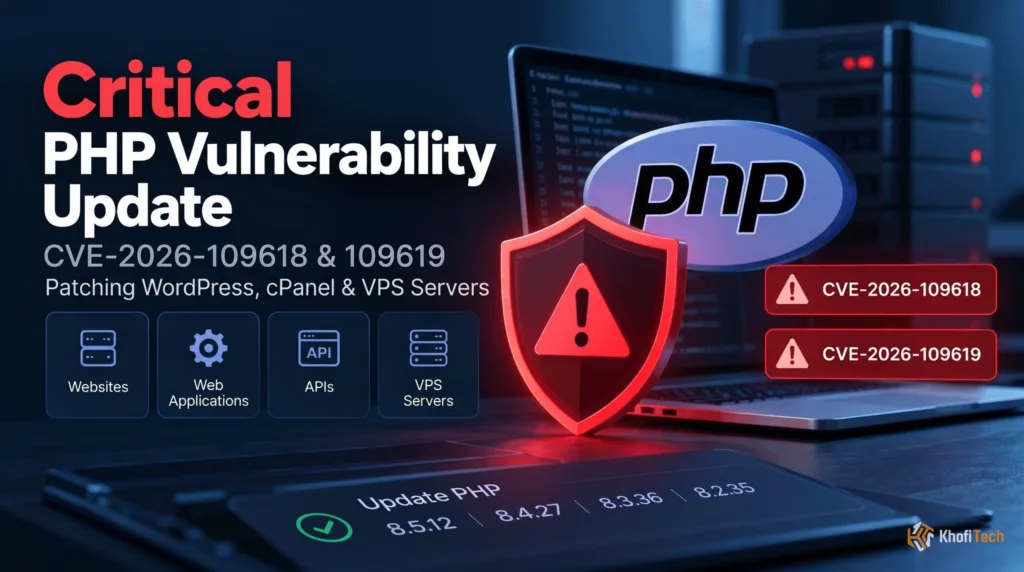
Critical PHP Vulnerability Update: How to Patch CVE-2026-109618 & 109619
A critical PHP vulnerability update has been pushed across global server ecosystems following the emergency disclosure of “PHP2Shell”.
Tracked under CVE-2026-109618 and CVE-2026-109619, these flaws carry a critical CVSS v4.0 score of 9.2 and allow unauthenticated remote attackers to execute arbitrary system code on vulnerable web servers.
Because PHP powers over 75% of websites worldwide—including nearly all WordPress, Laravel, and Drupal instances—web administrators, digital creators, and developers must verify their PHP runtime immediately.
Here is an analysis of what occurred, which versions are affected, and the exact steps to patch your cPanel, Cloudflare, or Linux VPS environment.
PHP2Shell Vulnerability Overview
| Vulnerability Detail | CVE-2026-109618 | CVE-2026-109619 |
|---|---|---|
| Attack Mechanism | Out-of-memory (OOM) heap corruption during request abort. | Stale global state / Cross-request memory reference. |
| Severity & Scope | CVSS 9.2 (Critical); Unauthenticated Remote Code Execution. | CVSS 9.2 (Critical); Unauthenticated Remote Code Execution. |
| Highest Risk Setup | Apache with mod_php, PHP-FPM, LiteSpeed, and FrankenPHP. |
Long-lived worker models and persistent request daemons. |
| Required Patch Target | PHP 8.2.35, 8.3.36, 8.4.27, or 8.5.12. | PHP 8.2.35, 8.3.36, 8.4.27, or 8.5.12. |
Why Updating WordPress or Plugins Will Not Protect You
A common misconception among site owners is that updating WordPress core, themes, or security plugins (such as Wordfence) eliminates the danger.
These vulnerabilities do not exist inside your site’s PHP scripts. Instead, they reside inside the C-based PHP runtime engine itself.
Because an attacker can trigger the memory exploit via standard HTTP request headers before application code even boots up, your WordPress plugins never get a chance to inspect or block the malicious request.
The fix must be applied at the server runtime layer.
Which PHP Versions Are Affected?
The security advisory confirms that nearly all versions in use are exposed to these attack vectors:
PHP 8.5: Versions prior to 8.5.12 (Vulnerable)
PHP 8.4: Versions prior to 8.4.27 (Vulnerable)
PHP 8.3: Versions prior to 8.3.36 (Vulnerable)
PHP 8.2: Versions prior to 8.2.35 (Vulnerable)
PHP 8.1, 8.0, 7.4, and older: End-of-Life (EOL) branches receive no automated binary updates. Sites lingering on these legacy branches are permanently exposed unless their operating system vendor provides backported source patches.
Step-by-Step: How to Apply the PHP Vulnerability Update
1. For Shared Hosting & cPanel Users
Most premium shared web hosting providers (such as Namecheap or StormerHost) automatically roll out patched binaries to their server fleet. However, verify your version manually:
1. Log into your cPanel dashboard.
2. Navigate to the Software section and select MultiPHP Manager or Select PHP Version.
3. Check the version assigned to your domain.
4. If your site is running an older branch (like PHP 7.4 or 8.0), upgrade immediately to PHP 8.2 or PHP 8.3.
5. Save changes and confirm your site loads without plugin incompatibilities.
2. For Unmanaged VPS & Dedicated Servers (Ubuntu / Debian)
If you manage your own virtual private server running Nginx/Apache with PHP-FPM, apply repository updates and restart your worker processes:
# 1. Update package lists
sudo apt update

# 2. Upgrade the PHP packages
sudo apt --only-upgrade install php*-fpm php*-cli php*-common

# 3. Verify your running PHP version
php -v

# 4. Restart your PHP-FPM service (example for PHP 8.3)
sudo systemctl restart php8.3-fpm
sudo systemctl restart nginx
3. Temporary Stopgap: Cloudflare WAF & php.ini Mitigations
If your host has not deployed the patch yet, you can buy time by reducing memory exploit exposure:
- Cloudflare / Reverse Proxy: Ensure your Cloudflare Web Application Firewall (WAF) managed ruleset is enabled. Cloudflare actively deploys edge signatures targeting known PHP2Shell payloads.
- Tune php.ini Settings: Applying temporary upload and session restrictions can reduce exposure to specific exploit paths, though this does not make an unpatched server completely immune:
; Temporary Mitigations for CVE-2026-109618 & CVE-2026-109619
session.upload_progress.enabled = 0
post_max_size = 8M
upload_max_filesize = 7M
max_input_nesting_level = 32
Running a self-hosted project or student portfolio? Make sure your remote workflow stays online during campus power drops with our guide on MiFi vs Mobile Data, or explore practical ways to build dev skills in our breakdown of the Top 10 In-Demand Careers in Ghana
Frequently Asked Questions
Quick answers to common questions
No. Security teams and edge networks like Cloudflare emphasize that WAF rules are purely temporary stopgaps designed to buy hours while server fleets are patched. Skilled attackers frequently alter encoding formats to bypass edge inspect rules.
Updating between minor patch releases (for example, from PHP 8.3.30 to 8.3.36) will not break your site, as these releases only resolve security bugs without changing core functionality. However, jumping from legacy PHP 7.4 straight to PHP 8.3 can trigger fatal errors if you run outdated themes or abandoned plugins. Test major version leaps on a staging environment first.
Create a temporary info.php file in your web root containing , visit the URL in your browser, and verify that the version string reads 8.2.35, 8.3.36, 8.4.27, or 8.5.12. Delete the info.php file immediately afterward to prevent exposing server details to the public.
Ask Khofi Tech
Related stories
Is Outlook Down? Live Status Check, Fixes & November 2026 Outage Explained
Can't load or send emails in Outlook? Check live Microsoft 365 status, read what caused the massive November 2026 global outage, and try 5 quick fixes.
SuperVOOC vs. USB-PD: Why Your Fast Charger Charges Other Phones Slowly
Ever wondered why your 80W or 100W SuperVOOC charger charges iPhones and Samsung Galaxy phones at just 10W? Here is the voltage, PPS, and handshake science explained.
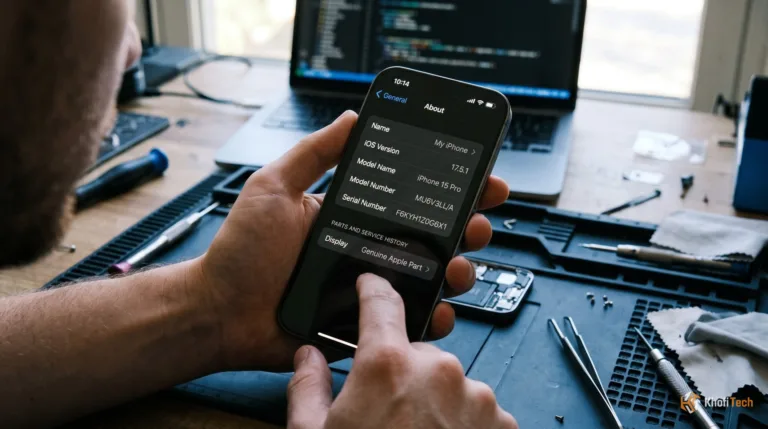
How to Check if an iPhone is Refurbished, Replaced, or Fake (2026)
Buying a used or renewed iPhone? Learn how to decode model letters (M, F, N, P), inspect Apple’s Parts & Service History, spot counterfeit clones, and verify IMEI status
Thread (0)