

MiFi vs Wi-Fi: Differences, Speeds, and Which to Buy
Confused between MiFi and Wi-Fi? Learn the key differences in portability, speed, data costs, and battery life to pick the right setup for home or work.

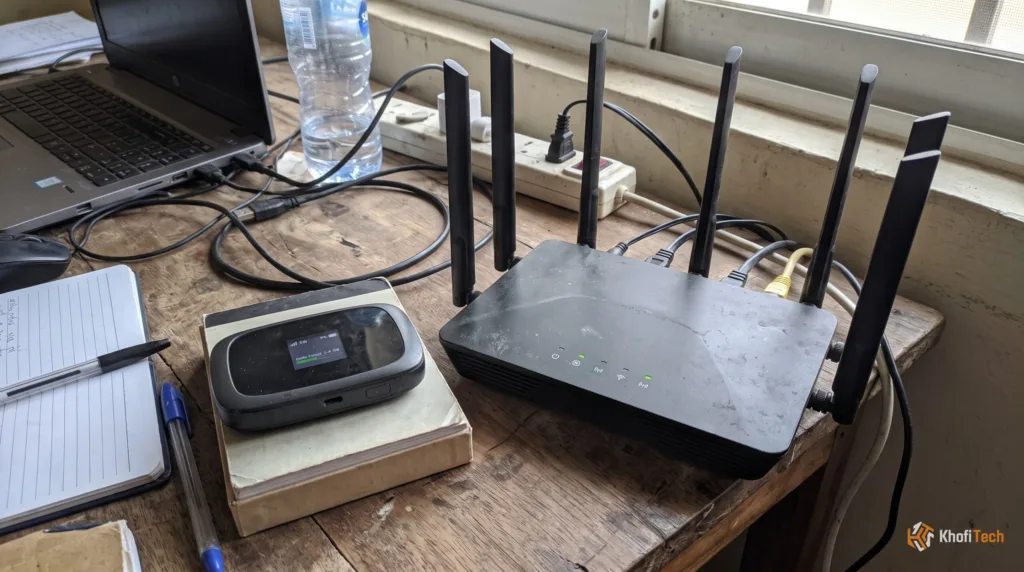
When setting up internet for a home office, student hostel, or small business, you will often hear people ask: “Should I buy a MiFi or get Wi-Fi?”
Strictly speaking, Wi-Fi is the wireless networking standard that connects your phone or laptop to the internet without cables. A MiFi (Mobile Wi-Fi) is simply a compact, battery-operated pocket router that creates a personal Wi-Fi hotspot using a cellular SIM card.
The real comparison is between a Portable MiFi device and a Fixed Home/Office Router (like Telecel Fibre or stationary 4G/5G desktop routers). Here is how they stack up.
Quick Comparison Table
| Feature | Portable MiFi | Home Wi-Fi Router |
|---|---|---|
| Power Source |
Rechargeable internal battery (lasts 4 to 8 hours). |
Continuous wall AC power (needs mini UPS during blackouts). |
| Coverage Range |
Single room range (roughly 10 to 15 meters). |
Whole house or office (multi-antenna, 30+ meters). |
| Device Limit |
Best for 3 to 8 devices before speeds throttle. |
Supports 32 to 64 devices smoothly at the same time. |
| Internet Input | 4G / 5G SIM card only. |
Fibre optic cable, Ethernet WAN, or high-gain desktop SIM. |
| Portability |
Extremely pocket-friendly and built for travel. |
Fixed in one location; not practical to carry around. |
1. Portability & Power Resilience
The biggest advantage of a MiFi is independence from wall outlets:
MiFi: Operates on an internal rechargeable battery (usually 2,000 mAh to 3,000 mAh) giving you 5 to 8 hours of untethered browsing. If the power cuts (dumsor), your connection stays active without skipping a beat.
Home Router: Plugged permanently into a wall socket. The moment power fails, your connection dies unless you back it up with a 12V mini UPS.
2. Signal Range and Multi-User Performance
Where stationary routers clearly outperform portable MiFis is raw hardware capability:
MiFi: Uses tiny internal antennas to stay pocket-sized. It struggles to push Wi-Fi through thick concrete walls, making it ideal only for the room you are sitting in. Connecting more than 5 devices causes noticeable latency spikes.
Home Router: Features high-gain external antennas and robust processors. It penetrates multiple rooms, supports dual-band signals (2.4 GHz for range and 5 GHz for speed), and comfortably manages dozens of connected phones, laptops, and smart TVs.
3. Data Plans and Cost Efficiency
How you feed the device data dictates your monthly expenses:
MiFi Devices: Run on standard mobile telecom SIM cards. While convenient, you are typically purchasing standard prepaid gigabyte bundles. If you share the MiFi with roommates or family members who stream 4K video, bundles disappear rapidly.
Home Fibre/Broadband Routers: Often qualify for high-volume or truly unlimited monthly packages, offering a far lower cost per gigabyte for heavy downloading.
Which One Should You Buy?
Get a MiFi if:
1. You commute daily, work from cafes, or need internet on campus.
2. You live alone or only need to connect a laptop and a smartphone.
3. You want an immediate backup connection that stays online during sudden power outages.
Get a Home Wi-Fi Router if:
1. You work from home full-time and handle large cloud backups, video rendering, or Zoom calls.
2. Multiple people in your household need to stream video and play games simultaneously.
3. You have access to fibre broadband or want to wire a desktop PC directly via an Ethernet cable.
Noticing your data bundles vanishing too quickly on your MiFi? Read our guide on How to Stop Apps From Eating Mobile Data in Background to save up to 10 GB every month
Ask Khofi Tech
Related stories
Samsung Galaxy S27 Ultra Specs, Leaks & Expected Price (2027 Guide)
Full breakdown of the leaked Samsung Galaxy S27 Ultra specs: 2nm Snapdragon 8 Elite Extreme Gen 6, 5,700mAh Si/C battery, 60W charging, and camera changes.
Best SMM Panel in Ghana (2026): Tested & Ranked
Looking for a reliable SMM panel in Ghana? Discover how SMM LockedIn supports direct MTN MoMo deposits, disposable SMS verification, and reseller cash bonuses.
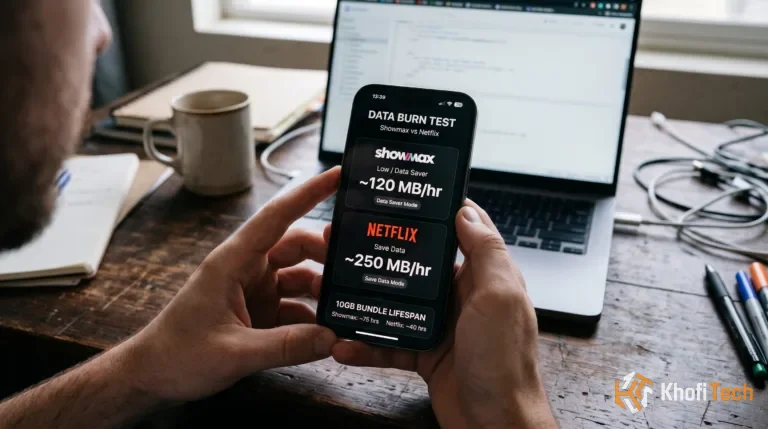
Showmax vs. Netflix: Which Uses Less Data in 2026?
We tested Netflix and Showmax across all video quality settings. Discover exact hourly data consumption, live sports bandwidth burn, and hidden saver toggles
Thread (0)