

Showmax vs. Netflix: Which Uses Less Data in 2026?
We tested Netflix and Showmax across all video quality settings. Discover exact hourly data consumption, live sports bandwidth burn, and hidden saver toggles

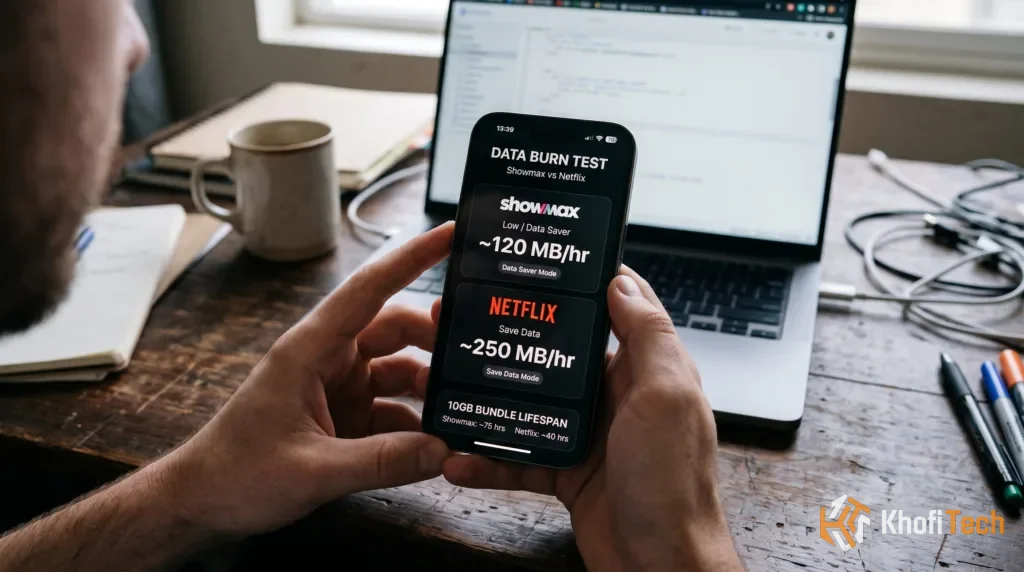
Streaming video on a capped cellular data plan can exhaust a monthly internet bundle in a matter of days if your streaming settings are left on default. Both Netflix and Showmax provide dedicated data-saving modes, but differences in their video compression algorithms, resolution ceilings, and content delivery pipelines lead to substantially different hourly bandwidth consumption rates.
Hourly Data Consumption: Side-by-Side Comparison
| Quality Preset | Netflix Hourly Data | Showmax Hourly Data | 10 GB Data Bundle Lifespan |
|---|---|---|---|
| Low / Data Saver | ~200 MB – 250 MB | ~100 MB – 140 MB | Netflix: ~40 hrs | Showmax: ~75 hrs |
| Medium / Balanced | ~500 MB – 700 MB | ~350 MB – 500 MB | Netflix: ~15 hrs | Showmax: ~22 hrs |
| High (1080p Full HD) | ~1.5 GB – 3.0 GB | ~1.4 GB – 2.0 GB | Netflix: ~4 hrs | Showmax: ~5 hrs |
| Ultra HD (4K HDR) | Up to 7.0 GB | Not Supported (Max 1080p) | Netflix: ~1.4 hrs | Showmax: N/A |
| Live Sports (Showmax Premier League) | N/A | ~800 MB – 2.2 GB / match | Showmax: ~4 to 8 matches total |
Showmax vs. Netflix: Which Streaming Service is Worth Your Money? →
Compare subscription pricing, local catalog depth, simultaneous screen limits, and mobile-only plans.
Netflix Data Consumption Breakdown
Netflix utilizes an adaptive per-title and per-shot encoding framework. Rather than applying a fixed bitrate to every video stream, Netflix dynamically analyzes scenes to deliver higher compression during dialogue sequences and lower compression during fast-motion scenes.
- Save Data: Restricts stream quality to standard definition (SD), consuming roughly 200 MB to 250 MB per hour. While fine textures are slightly softened on larger screens, subtitles and picture clarity remain sharp on mobile displays.
- Automatic: Dynamically balances video quality against your connection speed. On cellular connections, this profile defaults to roughly 1 GB every 3 to 4 hours (~250 MB – 330 MB/hr).
- Maximum Data: Delivers unrestricted bitrates matching your network speed and plan tier. This burns through up to 3 GB per hour in 1080p Full HD and up to 7 GB per hour in 4K Ultra HD.
The AV1 Codec Advantage: On smartphones with hardware-accelerated AV1 decoding (including modern Android processors and iPhone 15 Pro or newer), Netflix automatically serves AV1-encoded streams. This provides roughly 15% to 20% cleaner image reproduction at identical cellular bitrates compared to older AVC/H.264 profiles.
Showmax Data Consumption Breakdown
Showmax employs an aggressive low-bitrate compression profile built specifically for mobile-first markets where mobile data cost is a primary consideration.
- Low Quality: Restricts resolution to 360p and caps consumption between 100 MB and 140 MB per hour. While high-motion sequences can show compression artifacts, this profile allows users with tight bundles to stream for hours with virtually no buffering on unstable connections.
- Medium Quality: Scales resolution to 480p/720p, consuming between 350 MB and 500 MB per hour. This setting represents the best balance between text legibility and data conservation on smartphones.
- High Quality: Streams at 1080p Full HD, consuming between 1.4 GB and 2.0 GB per hour.
The Live Sports Factor
Unlike on-demand movies and TV shows, live sporting events—such as Premier League broadcasts on Showmax—cannot be pre-compressed into multi-pass static files. Because live action requires continuous real-time video encoding, streaming a 90-minute football match consumes significantly more bandwidth:
- Low: ~300 MB – 450 MB per match
- Medium: ~800 MB – 1.2 GB per match
- High: ~2.0 GB – 2.5 GB per match
What is Better Than Netflix? 5 Top Streaming Alternatives in 2026 →
Looking beyond Netflix and Showmax? Discover platforms offering superior 4K library value and affordable regional billing.
How to Configure Data Savers on Both Platforms
By default, both apps rely on dynamic bitrate switching that automatically ramps up video quality—and data usage—whenever network reception improves. Locking down your playback profile prevents sudden balance depletion.
Locking Down Data Usage on Netflix
- Open the Netflix mobile app and tap My Netflix in the bottom-right corner.
- Tap the Menu icon (three lines) or your Profile picture and select App Settings.
- Under the Video Playback header, tap Cellular Data Usage.
- Toggle off Automatic and select Save Data.
- Under the Downloads section, enable Wi-Fi Only to prevent automated updates from downloading over cellular networks.
Locking Down Data Usage on Showmax
- Open the Showmax mobile app and tap More / Profile in the bottom menu.
- Select Settings > Video Quality.
- Under Streaming Quality, select Low or Medium.
- Under Download Quality, set your default preference to Low to minimize local storage usage.
- Enable the Stream on Wi-Fi Only toggle if you want to eliminate accidental mobile data consumption entirely.
Why Your MiFi Burns Data Faster Than Phones (5 Instant Fixes) →
Streaming through a portable router or PC hotspot? Fix the unmetered background connection leak that drains data in minutes.
Smart Download Tactics for Offline Streaming
The most reliable technique for watching video content without depleting standard data bundles is downloading titles in advance using off-peak bandwidth:
- Utilize Night Bundles or Fixed Wi-Fi: Many cellular networks offer night data bundles that are 5x to 10x cheaper per gigabyte between midnight and 5:00 AM. Queueing up downloads during these off-peak windows preserves your standard daytime bundle.
- Pre-Download Complete Seasons: Both platforms support offline viewing. Downloading a 10-episode series on Showmax under the “Low” preset requires roughly 1.2 GB of storage, which can then be viewed anywhere in Airplane Mode.
- Configure Smart Downloads: Keep the Smart Downloads feature active inside Netflix on Wi-Fi. It automatically removes completed episodes and caches subsequent episodes without requiring manual file management.
Frequently Asked Questions
Quick answers to common questions
Streaming directly within mobile apps typically uses less data than tethering your phone to a laptop, smart TV, or streaming stick. Connected desktop and TV devices often ignore mobile data-saving protocols, requesting full 1080p or 4K streams and running background system updates that rapidly drain mobile hotspot allowances.
Showmax uses less raw data on its lowest setting, consuming between 100 MB and 140 MB per hour compared to Netflix’s 200 MB to 250 MB per hour on its "Save Data" preset. However, Netflix delivers a visibly sharper picture at its saver bitrate due to superior multi-pass video encoding.
On their respective data-saver modes, a 2-hour movie consumes approximately 400 MB to 500 MB on Netflix, and roughly 200 MB to 280 MB on Showmax. On maximum quality (1080p), the same 2-hour film will consume around 4 GB to 6 GB on Netflix and up to 4 GB on Showmax.
Live sporting events cannot be pre-compressed or pre-rendered like static movies. Fast-moving sports action combined with real-time broadcasting protocols requires a higher continuous bitrate to prevent motion blur and buffering, pushing data consumption up to 2.2 GB for a single 90-minute match on high quality.
Yes. Downloading a video file transfers the exact same amount of data as streaming it at that identical quality profile. The primary benefit of downloading is the ability to fetch files over fixed broadband or cheaper off-peak Wi-Fi connections to watch offline later without consuming active cellular data.
Ask Khofi Tech
Related stories

Samsung Galaxy S27 Ultra Specs, Leaks & Expected Price (2027 Guide)
Full breakdown of the leaked Samsung Galaxy S27 Ultra specs: 2nm Snapdragon 8 Elite Extreme Gen 6, 5,700mAh Si/C battery, 60W charging, and camera changes.

Best SMM Panel in Ghana (2026): Tested & Ranked
Looking for a reliable SMM panel in Ghana? Discover how SMM LockedIn supports direct MTN MoMo deposits, disposable SMS verification, and reseller cash bonuses.

Best New Movies on Netflix & Streaming (November 2026)
Looking for what to watch this month? Here are the best new movies streaming on Netflix, Prime Video, and theaters in November 2026, with dates and reviews.
Thread (0)